Overview
This function is mainly for financial staff to deal with the vehicle finance, such as Approval/Cancel for VIN,Generate Tax Invoice by system, Credit Approval and New Agreement with WESBANK & ABSA, Change Payment method and Change Financial Institution.
TIP
What can you do in this function?
- Approval for VIN;
- Check the integration status with Bank: Wesbank, Absa and ...
- Check the Financial Institution with the vehicle tax invoice, if it's not the same as invoice address, you need to change the Financial Institution before you approved this VIN, cause system will generate the tax invoice automaticlly after the VIN approved.
Business Process
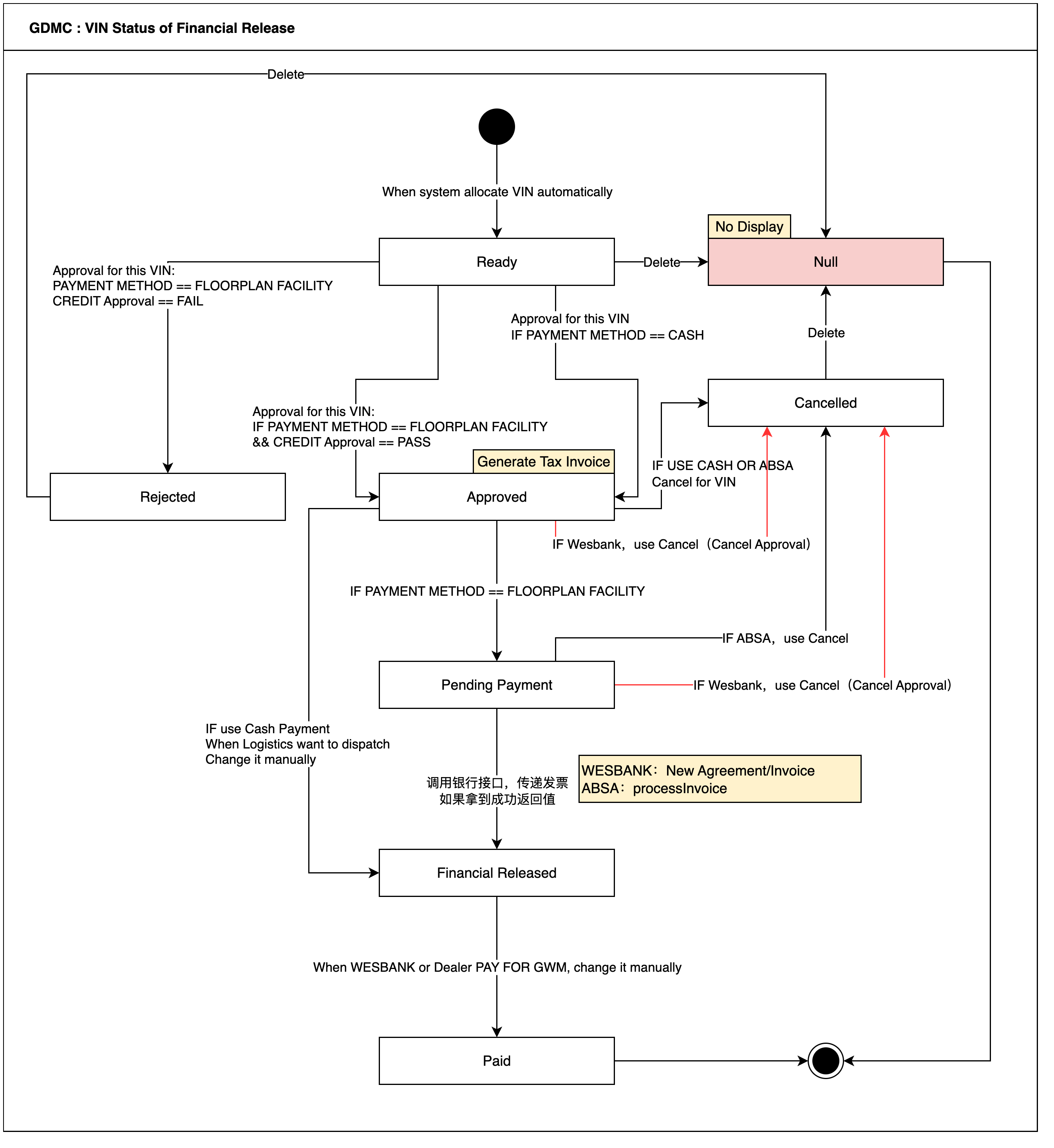
VIN status of Financial Release
Integration with bank
Overview
Up to now, we have Integrated with Wesbank and Absa, and Wesbank give us 4 API, Absa give us 2 API, I will introduce them
Wesbank
- Credit Check:
- Credit Approval:
- Cancel Approval:
- New Agreement/Invoice:
Absa
- Process Release:
- Process Invoice:
- Process Waranty Activation:
Financial Released - List
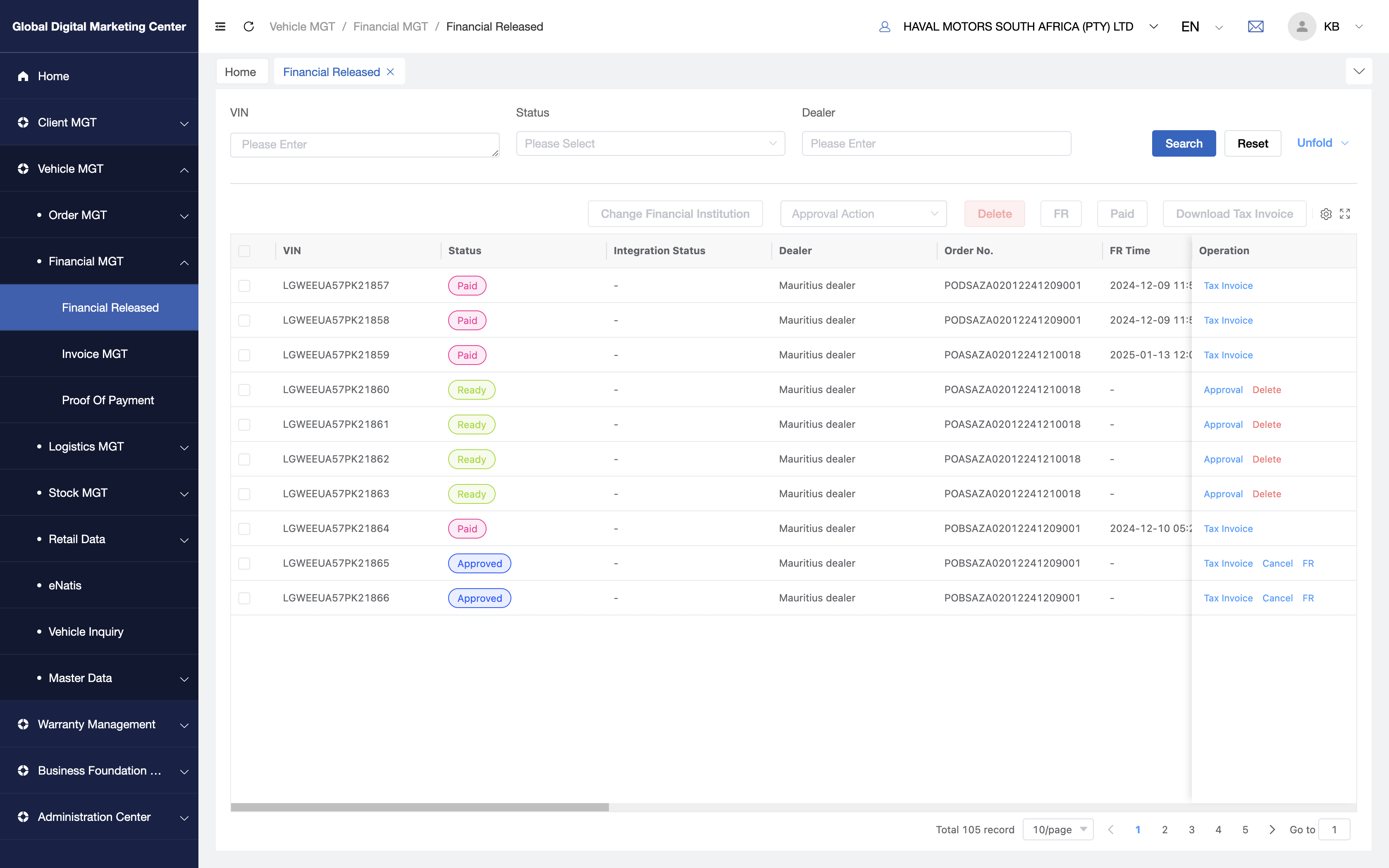
Click Vehicle MGT - Financial MGT - Financial Release to:
Interaction Description
Approval
If you want to approval for VIN, you can click Approval or Approval Action.
If dealer pay for the VIN by floorplan facility (Wesbank or Absa), it will approved by bank( Bank will check the dealers' fund if they have enough credit line to pay for it.) If the dealer has enough credit line to pay for it, this VIN Financial Status will go to Approved, otherwise, it will be Rejected;
FR
If you want to Financial Release the vehicle manually, you can click FR.(Perhaps only the cash payment or offline payment with the Vehicle, you need to FR it manually, and for the Wesbank and Absa payment, it will FR automatically.)
The Financial Released status is a necessary condition before the vehicle is shipped, otherwise, vehicle cant dispatch to dealer.
Paid
When the vehicle is paid, you can click Paid to change the vehicle to Paid status.
Download Tax Invoice
When the vehicle is approved, you can download its tax invoice through this button ( or Tax Invoice )
Delete
Only the Ready status vehicle can be deleted, when you delete it, it will un-reserve and cancel the allocation from that order number.
Fields Description
- Integration Status:
| 银行 | Integration Status | 备注 |
|---|---|---|
| WESBANK | Credit Approval - Processing | |
| Credit Approval - PASS | ||
| Credit Approval - FAIL | ||
| New Agreement - Processing | ||
| New Agreement - PASS | ||
| New Agreement - FAIL | ||
| ABSA | processRelease - Processing | |
| processRelease - PASS | ||
| processRelease - FAIL | ||
| processInvoice - Processing | ||
| processInvoice - PASS | ||
| processInvoice - FAIL |
Q&A
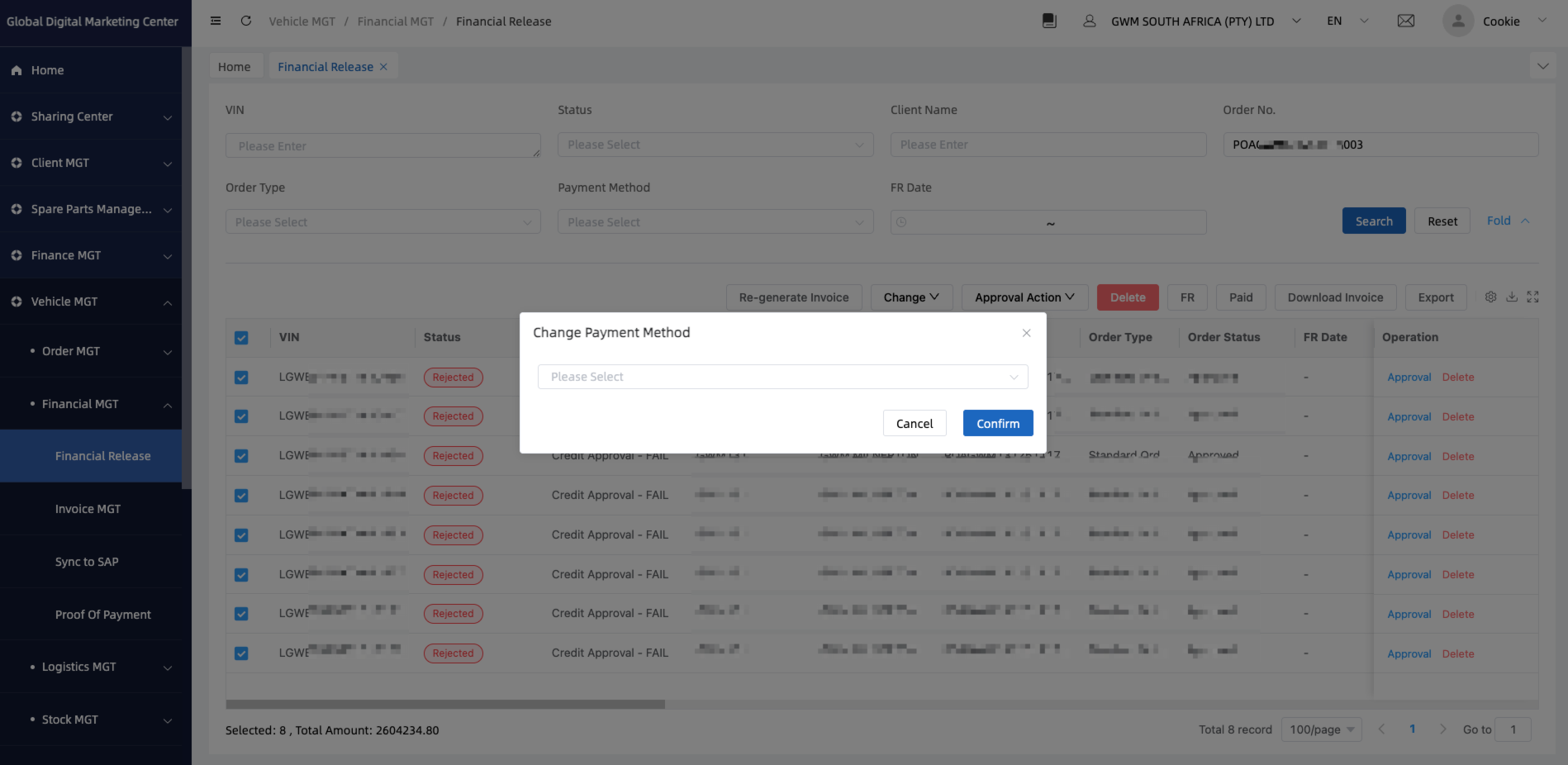
change payment method
Q: How to change a payment method of VINs?
A: You can operate it by the process below
- Select all the vehicles;
- Click
Changeand clickPayment Method; - Select the payment method you want and
Confirm. - Then you can go
Approval Actionto approval for these VINs again.