Overview
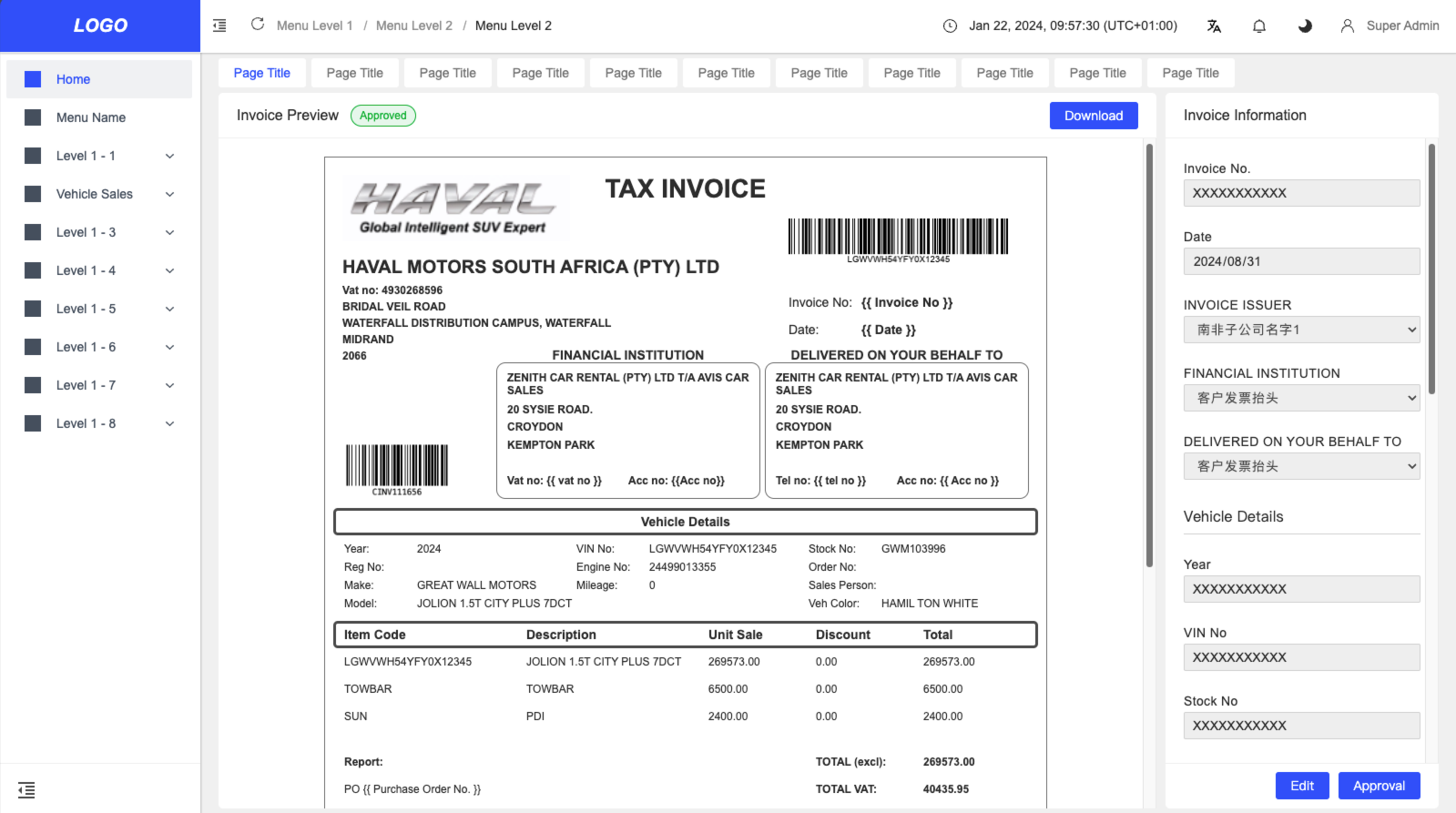
When the vehicle is Financial Released, system will generate the Tax Invoice automatically. And if the invoice is wrong, you can invalid the invoice, then modify and re-generate a new invoice with your confirmed information.
Invoice - List
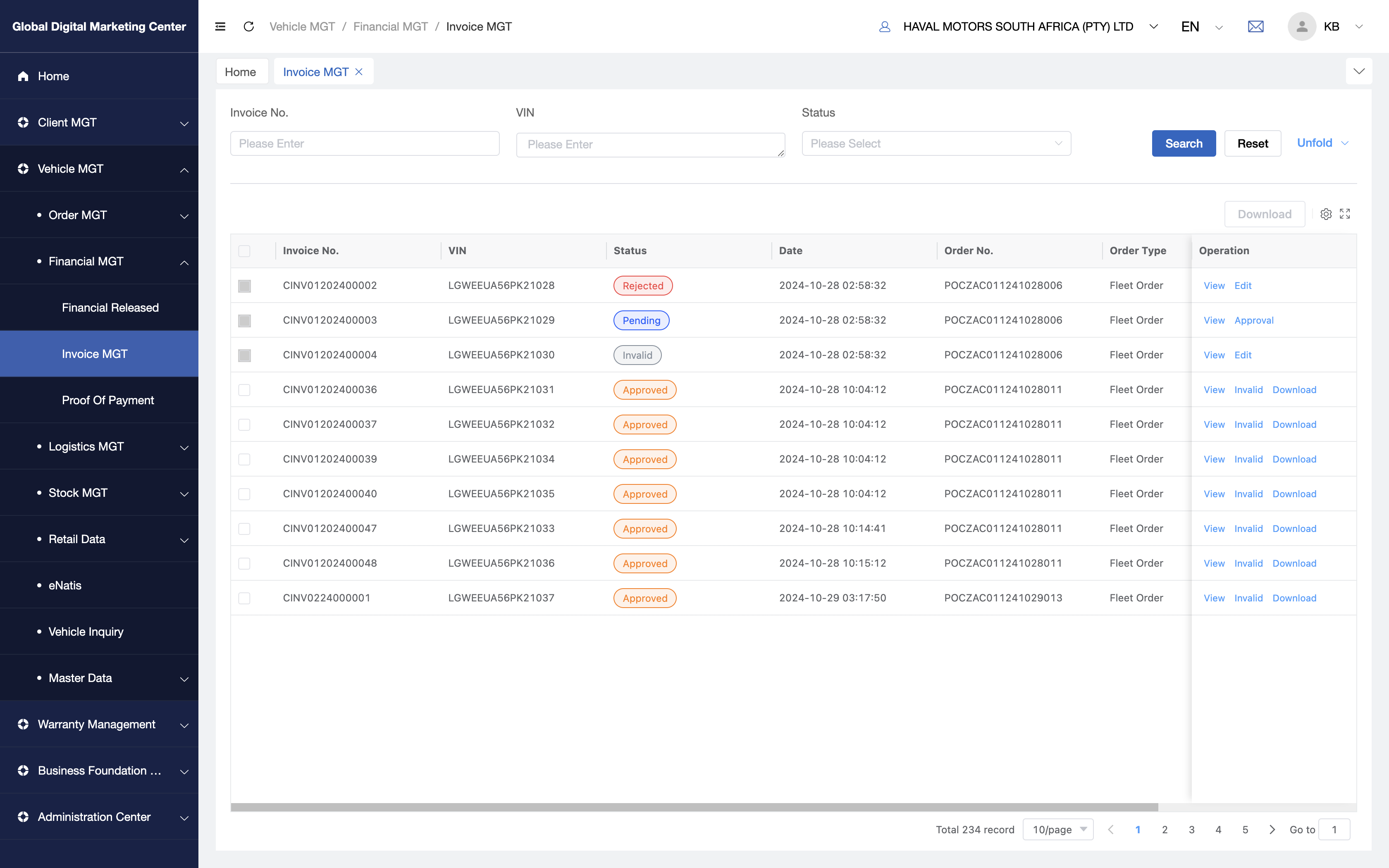
Click Vehicle MGT - Financial MGT - Invoice MGT to:
Interaction Description
View
Click View to go to the invoice details page ( see Invoice - VIew )
Edit
Click Edit to go to the edit page and then edit the invoice information, and submit the invoice.
Approval
Click Approval to go to the approval page, you can Approved or Rejeceted the invoice. When you approved the invoice, then it can be download.
Download
Click Download to download the invoice.
Invalid
Click Invalid to invalid the invoice, then you can edit it and re-submit to generate invoice.
Invoice - View
Click View to see the details: